TestingCatalog reports that SpaceXSI is building local Computer Use and a system-wide “Dictation in any app” tool for the Grok Bot app on macOS. Both are still in development and aren’t available to anyone, and SpaceXSI hasn’t shared release timing.
The report, by Alexey Shabanov on 23 November, rests on what the Mac app’s Settings now lists. The Computer tab has a separate “Grok Bot Computer Use” section that says “Not available on this computer”. General settings has a new Dictation entry, marked internal, with an Open dictation settings button that points to a standalone voice input tool for the whole Mac.
Talk in any app. Hotkeys, dictionary, snippets, whisper, retention and history live in their own window.
The Dictation entry in Grok Bot’s General settings, as quoted by TestingCatalog
2
unreleased features found in Settings
Cmd+D
dictation shortcut in the app today
1
hosted Linux computer per member
1.2.3
latest listed release, 18 November
What the settings show
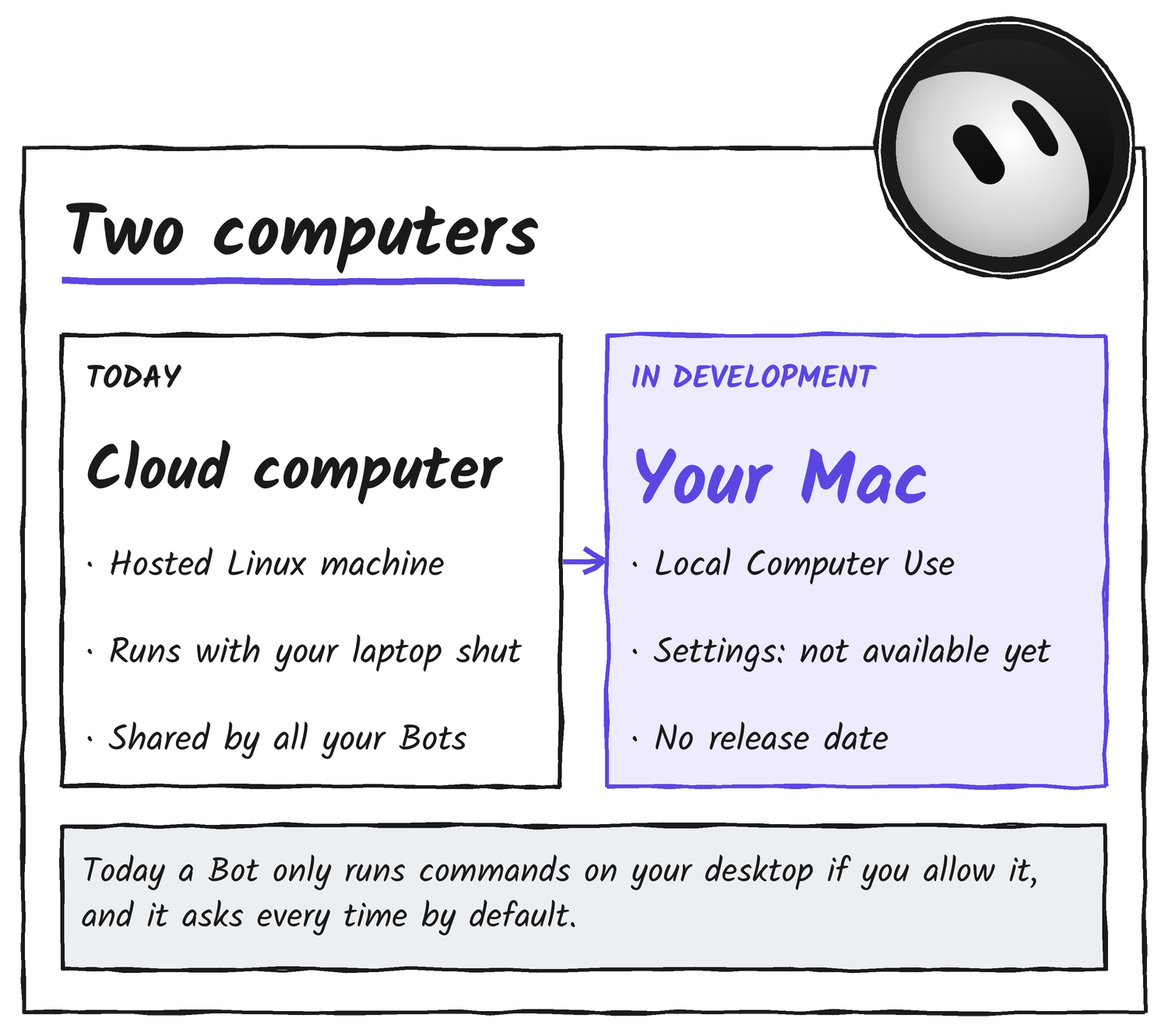
The Computer tab also has a “Bot’s computer” section, where members update or reset the cloud machine all their Bots share. TestingCatalog says the new Computer Use section sits apart from it, so the two modes look set to live side by side. The dictation entry lists hotkeys, a dictionary, snippets, retention and history as living in their own window. The report doesn’t say what the “whisper” entry does or which macOS permissions either feature will ask for.
What Grok Bot does today
Grok Bot launched in August as a team of always-on agents and reached version 1.0 this month, TestingCatalog says. SpaceXSI’s docs describe how it works now: each member has a hosted Linux computer in the cloud with a browser, command line and filesystem, and Bots do their work there, including while the laptop is closed. Every Bot on an account shares that computer’s files, browser sessions and logins. The desktop app, which runs on macOS, Windows and Linux, is a client for chat, review and approvals.
Your own machine is a separate matter. The docs say a Bot runs commands on your Mac or Windows PC only when you enable that under Settings, Computer, Your computer, in a setting labelled Execution on this computer, and approve it. The default is Ask every time, with Always allow and Never allow as the other options. The Mac app can also reach Messages, Mail, Notes, Reminders, Calendar, Location and Contacts, which Grok Bot announced on 12 November. TestingCatalog says local Computer Use would extend that reach to any desktop app.
Dictation already exists inside the app. Pressing or holding Cmd+D on Mac, or Ctrl+D on Windows and Linux, dictates into the message box, and iPhone and Android have a Start dictation button, according to the docs. The shortcut arrived in version 0.20.0 on 14 August, per the changelog. TestingCatalog says the unreleased tool would bring that voice input to every text field on the Mac.
What local control asks of a Mac
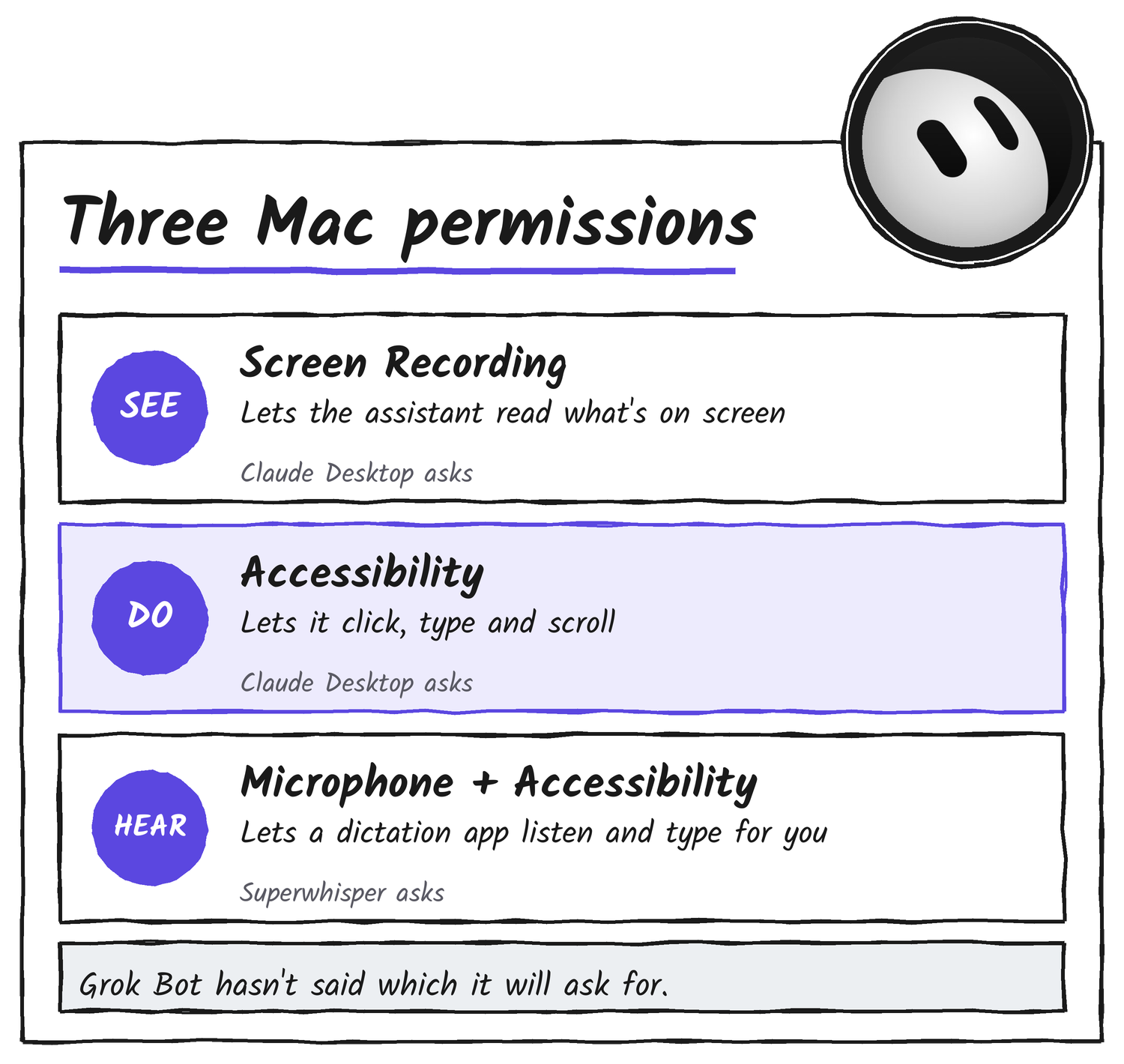
macOS puts screen reading and input control behind permissions, and rival assistants show what that looks like. Anthropic’s docs for Claude Desktop say computer use is off by default and needs two Mac permissions: Accessibility, which lets Claude click, type and scroll, and Screen Recording, which lets it see what’s on screen. Dictation apps ask for the microphone and accessibility access, which is what Superwhisper’s setup page lists. Grok Bot hasn’t said what it will ask for.
Where rivals already are
Local computer use on Mac isn’t new. Perplexity said on 20 October that its Computer runs fully local on Apple silicon Macs, working across local files and apps including Notes, Messages, Mail and Numbers. Google launched computer use in the Gemini app for Mac on 19 November. It runs in an isolated background window with a live preview, you pick which apps it can reach, and you approve key actions. The Verge says it’s rolling out now in English for users in the US. Claude Desktop has computer use as a research preview, and it can work in the background in the apps you’ve approved. Bloomberg described the Gemini launch as raising the pressure on Apple to make Siri more capable.
Dictation in any app is already common on Mac. The built-in macOS Dictation enters text anywhere you can type, and Apple says that with Apple Intelligence in macOS 27 an on-device model improves spelling, punctuation and capitalisation, in English on Macs with an M3 chip or later and at least 12GB of memory. Superwhisper does the same on Mac, Windows, iPhone and Android, with a free tier and a Pro plan at US$8.49 a month. Wispr Flow’s Pro plan is US$15 a month, or US$12 a month billed annually, and its data controls page says transcription always occurs in the cloud. Claude’s quick entry on Mac dictates into Claude with Caps Lock, not into other apps. Aria, a free Mac notch app for coding agents, added push-to-talk voice on 22 November.
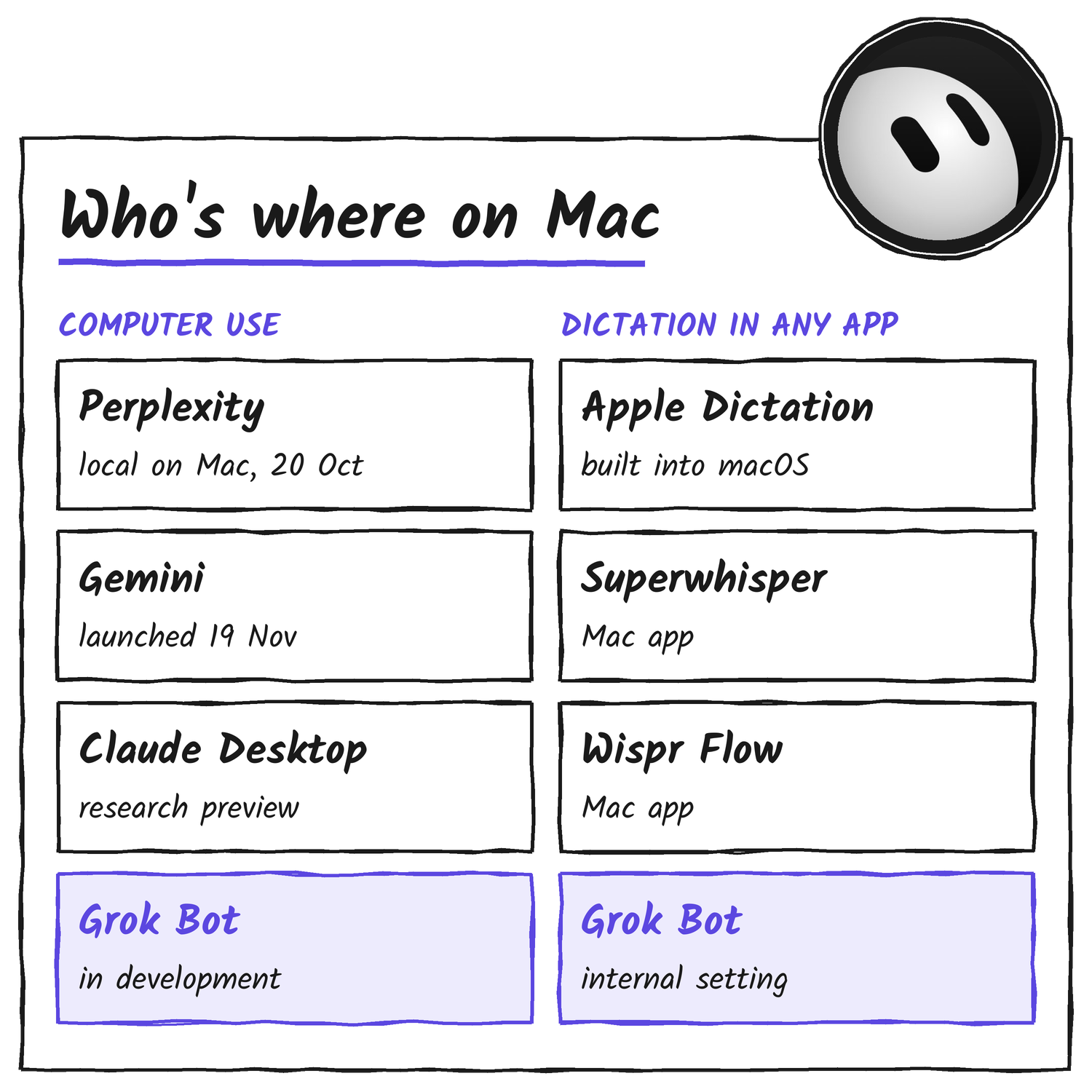
| Product | What it does on a Mac |
|---|---|
| Grok Bot | Works on a cloud computer; runs commands on your Mac only with your approval; dictates into its own message box with Cmd+D. Local Computer Use and system-wide dictation are in development. |
| Gemini | Computer use in the Gemini app for Mac since 19 November, in a background window with a live preview, in English in the US. |
| Claude Desktop | Computer use as a research preview, off by default, needing Accessibility and Screen Recording. Quick entry dictates into Claude. |
| Perplexity | Computer runs fully local on Apple silicon Macs, across local files and Notes, Messages, Mail and Numbers, since 20 October. |
| Apple | Built-in Dictation in any text field. Siri AI, in beta on macOS 27, lets apps expose actions through App Intents. |
| Superwhisper | Dictation in any Mac app, with a free tier and Pro at US$8.49 a month. |
| Wispr Flow | Dictation in any app, with transcription always in the cloud. Pro is US$15 a month, or US$12 billed annually. |
Google also runs the remote computer behind Gemini Tasks, which stays offline until you switch network access on. That’s the cloud-computer model Grok Bot uses today, and Grok Bot’s new setting is the local alternative.
What isn’t known
SpaceXSI hasn’t announced either feature. The report doesn’t say which Macs, plans or macOS versions will get them, whether local control will ask for approval before each action, or whether dictation will run on the Mac or in the cloud. The Grok Bot changelog is where each release is logged, and version 1.2.3, dated 18 November, was the latest listed at the time of writing.
Sources
- TestingCatalog: Grok Bot to get local Computer Use and Dictation in any app, 23 November 2026
- SpaceXSI docs: Use the computer and apps, FAQ and Deploy Grok Bot, plus the Grok Bot changelog
- Google: Let Gemini tackle repetitive chores on your Mac, 19 November 2026
- Perplexity: Computer now runs fully local on Mac, 20 October 2026
- Anthropic: Claude Desktop docs and quick entry help page
- Apple Support: Dictate messages and documents on Mac and Siri AI is now open to all developers, 3 November 2026
- Superwhisper, Wispr Flow pricing and Wispr Flow data controls
Discover more from Sulat AI & Tech News
Subscribe to get the latest posts sent to your email.