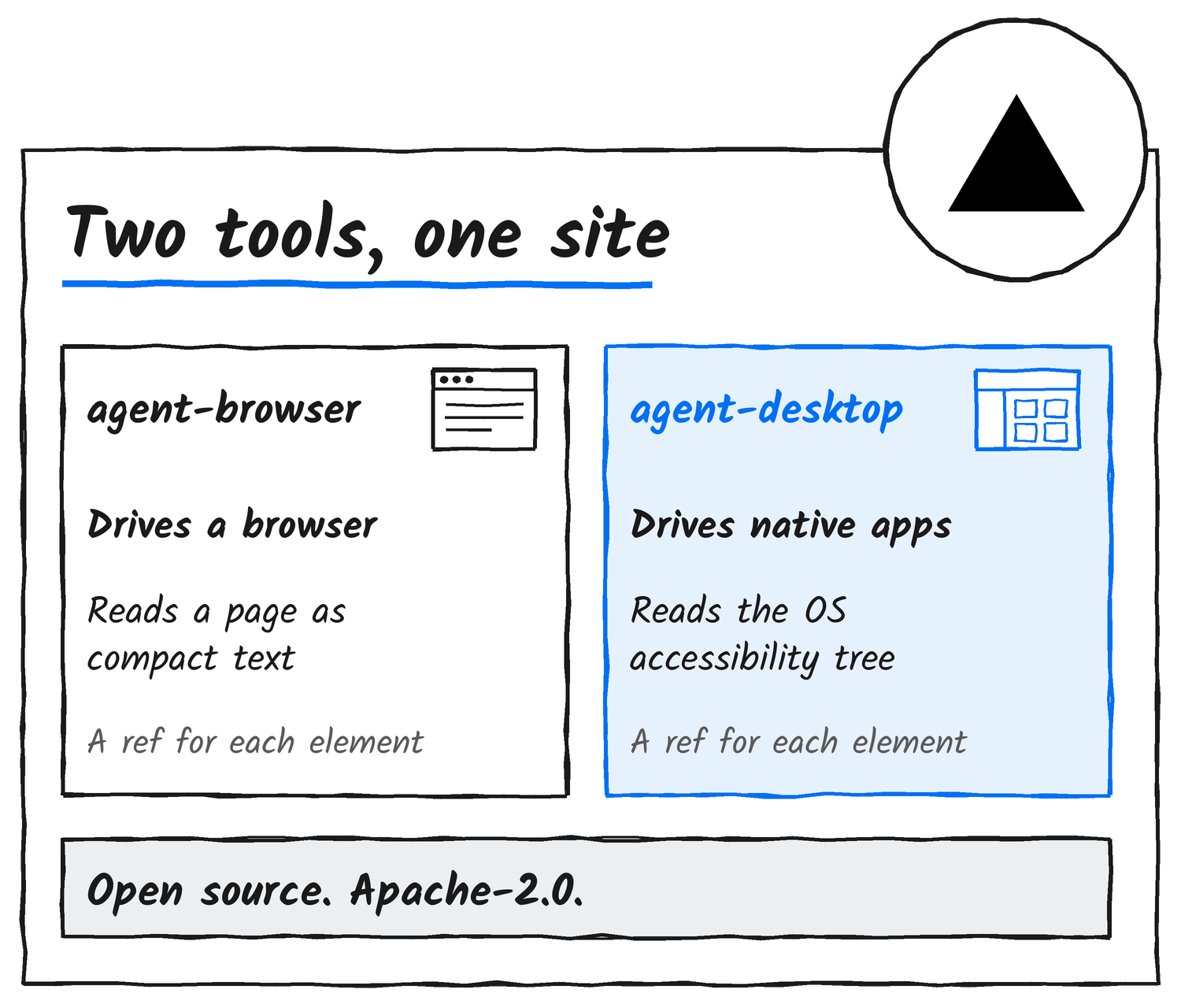
agent-browser.dev has a new front page. Chris Tate posted it on X late on 16 November UTC, which was 17 November in New Zealand, and James Clements did the design. The browser CLI has company now: agent-desktop, a separate Vercel Labs project that drives desktop apps instead of web pages, sits beside it.
I covered agent-browser 0.43 and agent-desktop’s macOS sandboxes on 14 November, so this post sticks to what the site changes.
Say hi to the new agent-browser.dev 👋
— Chris Tate (@ctatedev) November 16, 2026
Featuring agent-browser + agent-desktop
Designed by @jamesvclements
What the homepage says
The page sells the pair under one line.
Give your agent the tools to browse, use apps, and check its own work.
agent-browser.dev
Six blocks follow, and on top of the clicking and typing they cover screenshots, video at up to 60 frames a second, Core Web Vitals checks, separate sessions and mocked API responses.
Browser and desktop, side by side
agent-desktop‘s README says it gives an agent “computer use without screenshots or pixel matching”. It reads the operating system’s accessibility tree, so a Finder window comes back as a list of buttons and fields with a ref each. agent-browser‘s snapshots do the same for web pages, with a ref such as @e1 against each element. agent-desktop has no model inside, the README says, so your own agent runs the loop. It runs on macOS 13 or later, Windows 10 1809 or later and Ubuntu 24.04 or later.
Several agents, one desktop
The page says several agents can share one desktop. That holds only in a session started with session start --cursor --multi-agent, per the session docs, where click and type fail without an agent id. The cursors move together while the actions take turns.
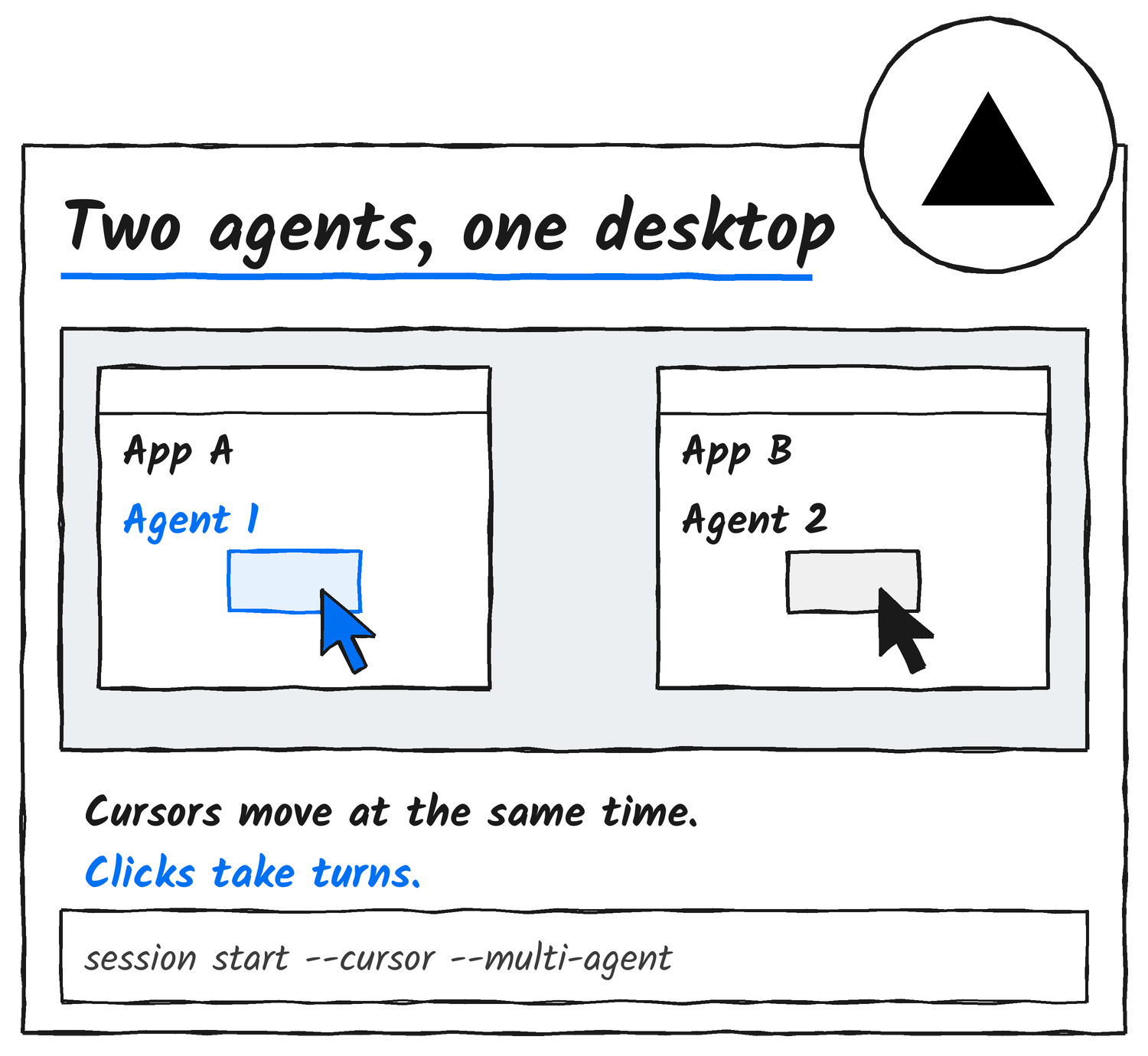
On Linux Wayland the setting saves and nothing is drawn.
What’s new and what isn’t
None of this is a new release. agent-browser 0.43.0 came out on 12 November UTC and agent-desktop 1.3.1 on 13 November UTC. Even the desktop docs predate the relaunch: the 1.0.2 release on 30 October UTC listed a docs site at agent-browser.dev/desktop.
Both tools install from npm with npm install -g agent-browser and npm install -g agent-desktop.
Sources
- agent-browser, Vercel Labs
- Post announcing the new site, Chris Tate on X
- agent-browser README, GitHub
- agent-desktop README, GitHub
- Sessions, agent-desktop docs
- Video Recording, agent-browser docs
- Releases, agent-desktop on GitHub
- Releases, agent-browser on GitHub
Discover more from Sulat AI & Tech News
Subscribe to get the latest posts sent to your email.