Anthropic put “Install as app” into beta on 24 November (US), and it turns a Claude artifact into a Mac or Windows app. The installed app gets its own icon, opens in its own window instead of inside Claude, can be shared, and updates itself when the artifact is edited. Anthropic’s announcement says each app can use Claude and your connectors, and that it needs your permission before it can interact with your computer. It also says Anthropic doesn’t review apps before you install them.
It’s in beta on Free, Pro, Max, Ultra, Team and Enterprise plans, and needs Claude for Mac or Claude for Windows version 6.28899.0 or later, per Anthropic’s Help Center. 9to5Mac and The Decoder both covered the launch the same day.
What changes for an artifact
Artifacts began as outputs you’d share, such as a chart or a webpage. Anthropic says people now use them as everyday tools, and gives two examples: a meeting prep page that regularly pulls from your calendar and email, and a tracker for the orders that need to ship that day. Until now those tools lived inside a Claude conversation. Now they can sit in the Dock or Start menu like any other program.
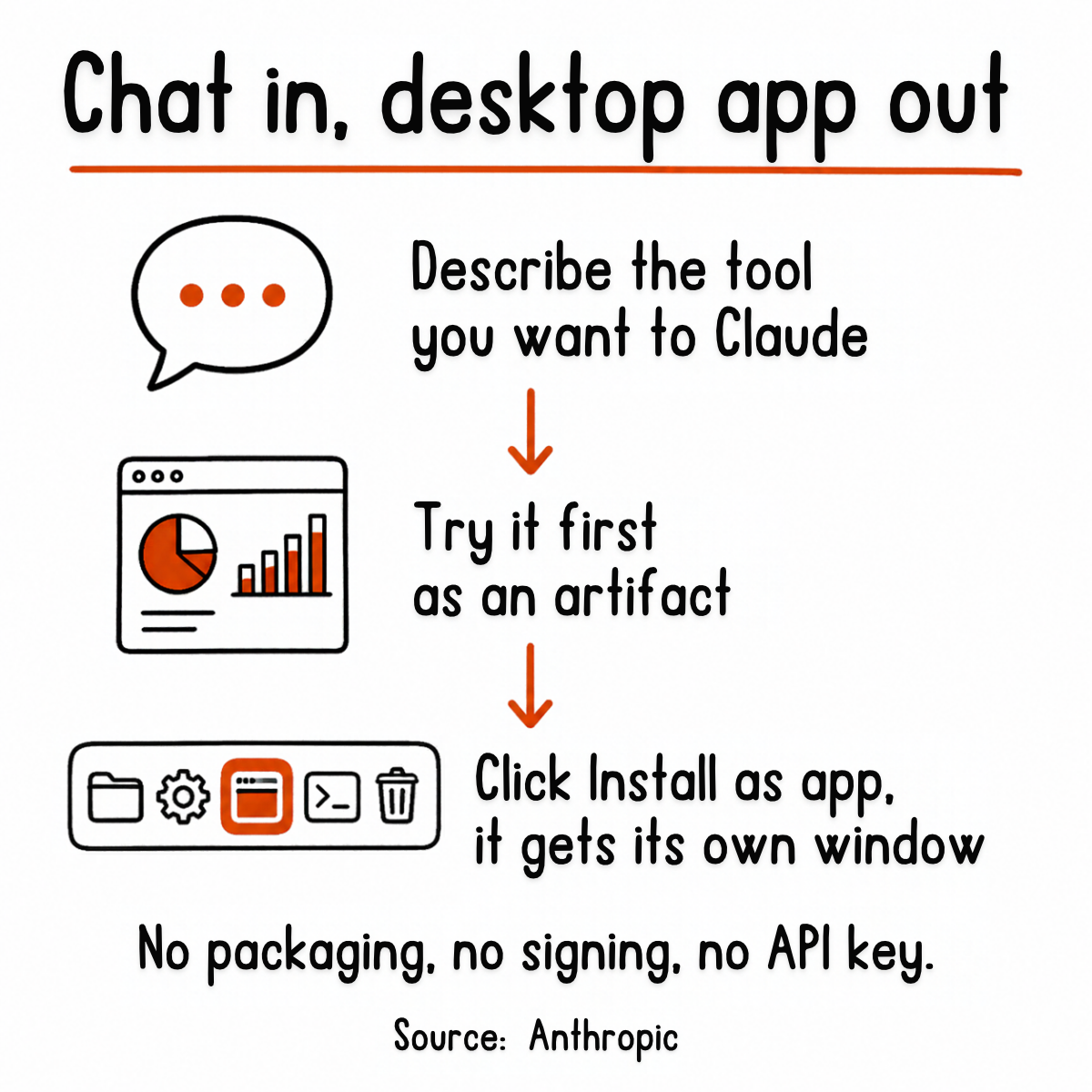
Two things stay the same. It’s still the same artifact underneath, so when you or another editor changes it, the app changes too. And the app runs on your Claude account, so there’s no API key or separate login, and no packaging or signing step. The cost is that building an app, and every request the app makes to Claude, counts toward your plan’s usage limits.
Anthropic’s Felix Rieseberg announced it on X with “Big news: You can now build and share Mac & Windows apps with Claude. No coding skills needed!” His follow-up post lists what he’s built himself: terminals, file managers, video editors, comms tools and “little desktop pets”. Those apps can do native things, he wrote, like adding menu bar items, creating transparent windows or sending notifications.
How to install one
- Describe the app to Claude in a chat, for example “Make a Pomodoro timer that lives in my menu bar.”
- Open the artifact in the main Claude Desktop window.
- Choose “Install as app” from the artifact’s title menu, a right-click or the Share menu, then confirm with “Install”.
- Open it from the Claude Apps folder (inside Applications on macOS, in the Start menu on Windows), from Spotlight, or from File > Apps in Claude Desktop.
An artifact can also build its own install button if you ask it to, and Claude asks you to confirm either way. The browser’s “Add to Dock” and “Add to Home Screen” options aren’t the same thing: the Help Center says they only add a shortcut. To open an installed app you have to be online and signed in to Claude Desktop. An app with a menu bar item or tray icon keeps running after you close its window.
Three permission levels, and one lapse
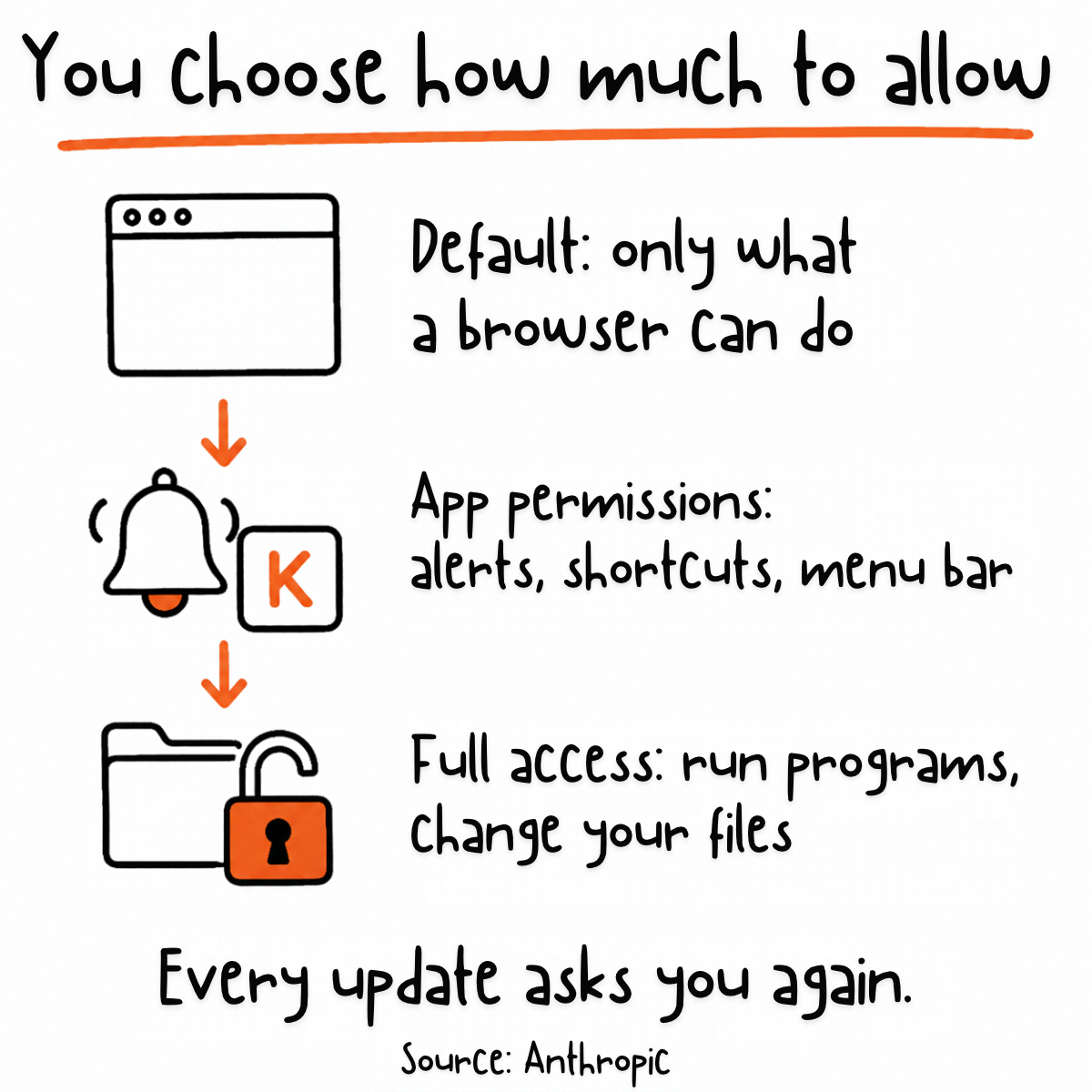
An installed app starts with only what an artifact could do in a browser. Past that, it has to ask, and you answer each request with “Allow” or “Don’t allow”. Anthropic groups the requests into three levels: the browser default, app permissions, and full computer access.
| Permission | What the app can do |
|---|---|
| Notifications | Show notifications while you use other apps |
| Keyboard shortcuts | Respond to key combinations while you use other apps |
| Float over other windows | Draw content above other windows, and read where the mouse cursor is on your screens |
| Menu bar item or system tray icon | Show an item there while the app is open |
| Full access to this computer | Run programs and read, change or delete your files without asking each time |
The rules around those prompts matter more than the list:
- An “Allow” covers one version of the app. After any update, including your own edits, Claude asks again. A “Don’t allow” stays until you change it.
- If an app loads code from another website, that code can change without a new request.
- Full access is limited to apps you made or, on Team and Enterprise, apps made by people in your organisation. Claude generally won’t let an app ask for it if someone outside your organisation wrote part of it or Claude can’t confirm who made it. On Free, Pro, Max and Ultra, “outside your organisation” means any user other than you.
- Requests from an app by someone outside your organisation, or by a maker Claude can’t identify, show a warning.
You can change or take back a permission from the app’s menu bar name on macOS, the title bar on Windows, or File > Apps in Claude Desktop. Turning off full access can reload or close the app, stops the programs it started, and doesn’t undo changes it already made. If you lose access to an app, for example because its owner stops sharing it, the programs it started stop too, which can take about 20 minutes. Uninstalling removes your permissions without deleting the artifact, and a “Report Artifact” option sits in the same menu as “Permissions” where it’s available.
What Anthropic’s people built
Anthropic’s announcement links five demo apps made by its own staff, each a shared artifact you can open:
- Linnet, a full layered image editor.
- Phosphor, a file manager that looks made for a movie set.
- Sift, which sets up folder rules and uses Claude to keep your files organised.
- Tern, a terminal with Claude beside you to help and explain.
- Vitals, a menu bar and tray app for checking your computer’s performance.
Anthropic also links a separate gallery of more demos made by one of its engineers, drawn as a retro pixel-art desktop with a Library app. Because full access is limited to apps you made yourself or that someone in your organisation made, a demo opened from Anthropic’s links doesn’t get it.
Who gets it, and who doesn’t
| Group | What applies at launch |
|---|---|
| Free, Pro, Max, Ultra | Beta is available on every plan, including Free. |
| Team | On by default. Full access is off until an admin turns it on. |
| Enterprise | The whole feature is off until an owner turns it on in Organization settings > Artifacts. |
| HIPAA-ready and hybrid deployments | Not available. |
| Claude for Teachers and K-12 | No full access. Installing apps may be off or unavailable. |
| Zero data retention for Claude Code | Apps can be installed once an owner turns on Artifacts and Install as app, but they aren’t covered by zero data retention. |
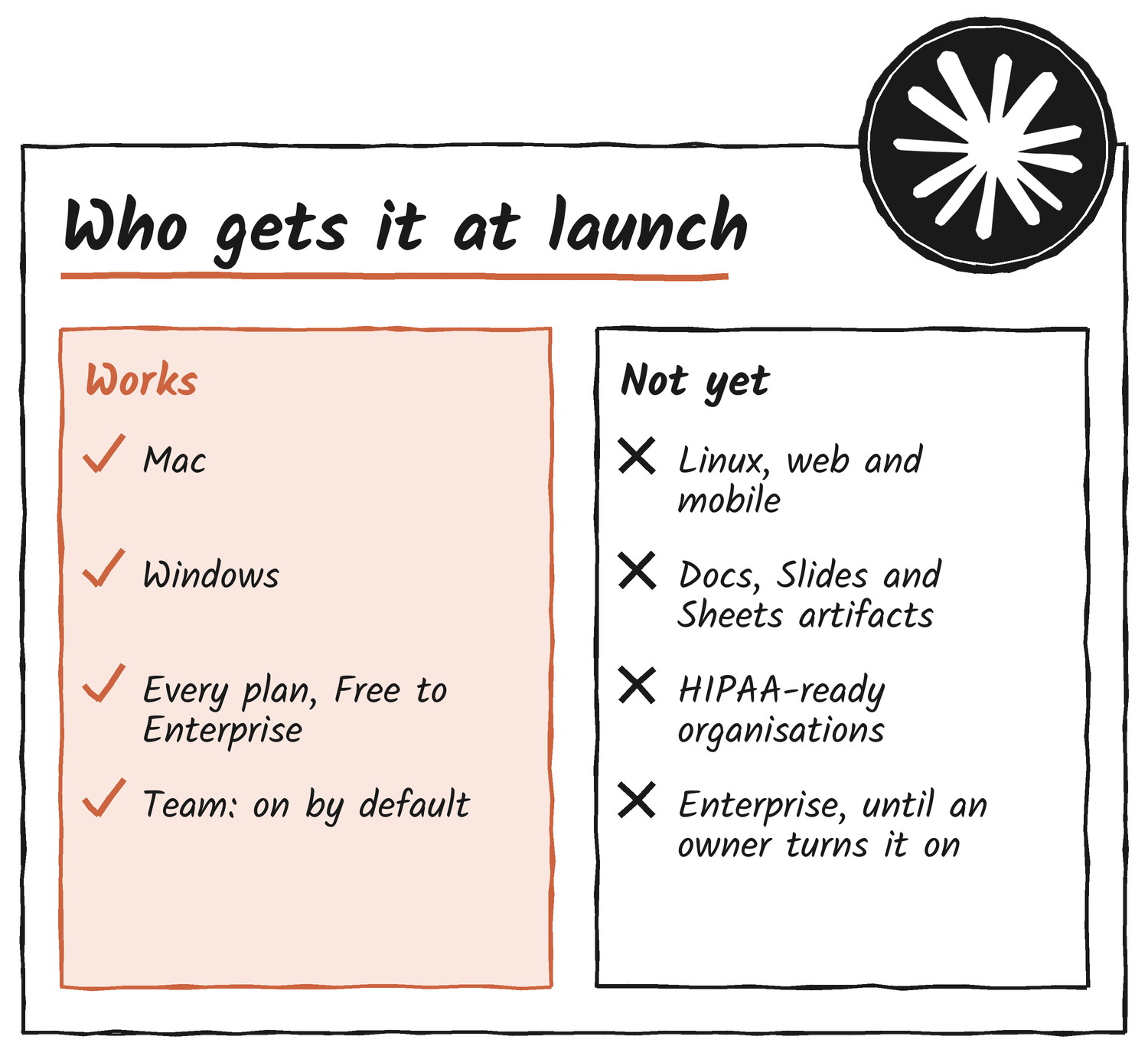
The platform list is short: macOS and Windows only. Apps aren’t available on Linux, the web or mobile, so the redesigned mobile app can’t open them. Artifacts made from a template, such as Docs, Slides or Sheets, can’t be installed, and neither can legacy artifacts or live artifacts from Claude Cowork. On macOS, Claude can see an installed app when it uses your computer, but it can’t click or type in it.
The Apple Developer account route
The Decoder reports that Rieseberg wrote you need a Claude account and the Claude app for now, though a free account is enough, and that if you have an Apple Developer account, Claude can also build a standalone app. Anthropic’s announcement and Help Center article don’t mention that route. They say you don’t have to package or sign an app, and that an installed app needs you online and signed in to Claude Desktop to open. Anthropic hasn’t published how a standalone build with an Apple Developer account works.
Where it sits
Several recent desktop AI launches have been about agents operating the apps you already own. Google’s Gemini app for Mac can click, type and work menus from a background window, and its help page lists seven risks. Google Antigravity added a Knowledge Work layout that hides Git and the terminal. Claude’s own desktop app does computer use on macOS and Windows too.
Install as app goes the other way. Claude doesn’t drive someone else’s software here. It writes the software, and the app that results runs next to everything else on your machine. That puts it in a line of recent Anthropic launches aimed at making things rather than answering questions: Whiteboards, Sheets and Data, Claude Ship for pull requests, and skills loaded from MCP servers. 9to5Mac called it the second Claude update this week made for builders.
Rieseberg’s X bio lists him as an Anthropic builder and a co-maintainer of Electron, the framework behind many cross-platform desktop apps. Anthropic hasn’t said what Install as app is built on.
What to check before you install one
- Who made it. A shared app from someone outside your organisation shows a warning, and full access isn’t offered for it.
- Which permissions it asks for. A pomodoro timer needs notifications, not your files.
- Whether it pulls code from another site. A new request won’t appear if that code changes.
- Your usage limits. Each request an app makes to Claude draws on the same plan as your chats.
Sources: Anthropic’s Install as app announcement (24 November 2026), the Claude Help Center article Install an artifact as an app, Felix Rieseberg’s post on X, 9to5Mac and The Decoder.
Discover more from Sulat AI & Tech News
Subscribe to get the latest posts sent to your email.